

What this means in practice
The missing app is less of a limitation than it sounds. Mobile browsers handle casino content well, most major slot studios ship mobile-optimised builds that need no download, and live streams depend on connection quality rather than on a native wrapper. What it does change is where problems can hide. The experience rests on three layers: the device and its browser, the operator’s mobile site, and the providers behind each game. A weakness in any one of them will colour the whole session even when the other two are fine, which is why the test plan below works through them separately.
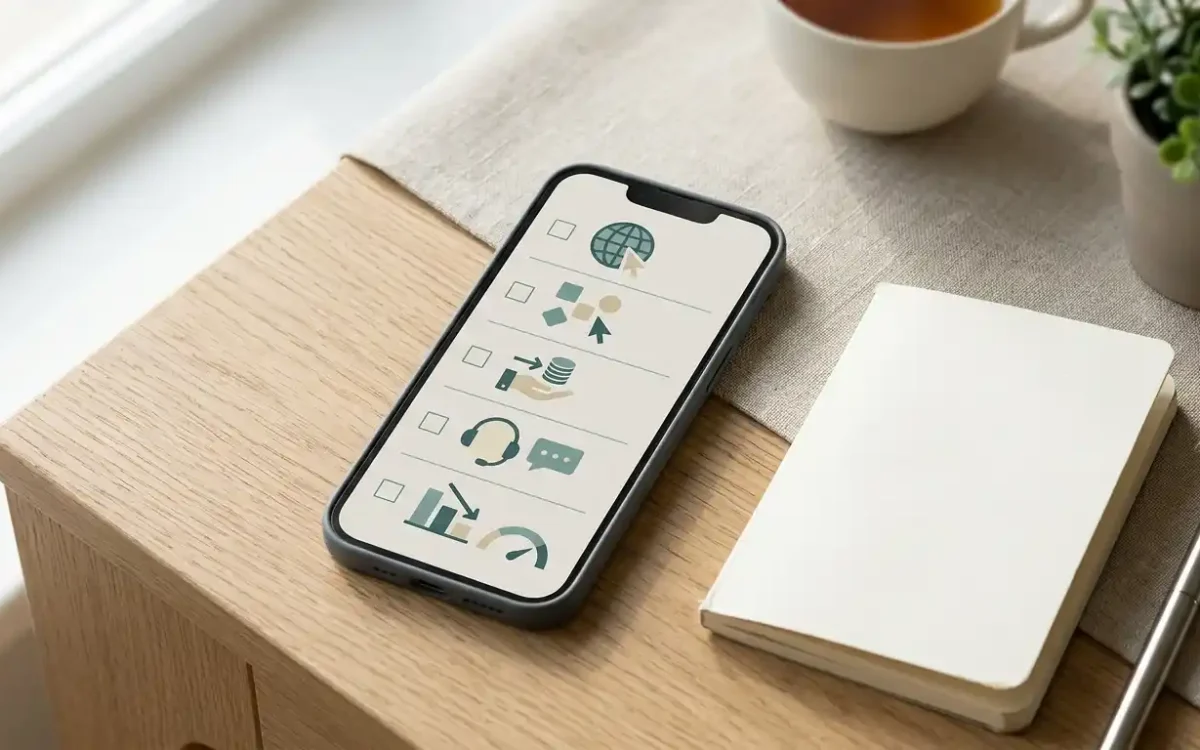
The browser-first test plan
| Check | What to look for | Why it matters |
|---|---|---|
| Initial load | The site opens on a UK mobile connection without warnings or geo-block messages. | Confirms basic reachability from the location you would actually play in. |
| Account area | Login, registration and account menus render and respond to touch. | Mobile bugs in the account area tend to surface later as verification problems. |
| Cashier | The deposit form, currency selection and confirmation message are all visible on a small screen. | Shows whether the expected currency appears at the size of screen you will use. |
| Game launch | A low-stake slot opens, accepts a minimum bet and returns cleanly to the lobby. | Confirms the integrated studios ship mobile builds for your particular device. |
| Live casino | A short live-table session opens with stable video on a stable connection. | Live tables are the most demanding mobile content and the first to expose connection issues. |
| Support route | Live chat or the contact form produces a real response. | Support latency on mobile is a broad quality signal, not just a gambling-specific one. |
| Responsible-gambling controls | Deposit limits, time-outs and self-exclusion are reachable from the phone. | Friction in account controls outweighs a good impression everywhere else. |
Why browser-first is safer than chasing apps
Search for a LuckyTwice app and the results will include third-party pages offering installable files or APK downloads from outside the Apple App Store and Google Play. None of those routes was identified as official in this research, and two separate risks attach to them. Security is the first: a side-loaded gambling package can carry malware, request permissions far beyond what it needs, or impersonate one brand while connecting to another operator entirely. Consumer protection is the second: an unofficial install links to no verified responsible-gambling controls, and the complaint route an app store would normally provide simply does not exist.
If an official app appears later, the safe way to install it is from the Apple App Store or Google Play, with the publisher name matching the legal entity in the operator’s footer. Until those two names line up, treat any page offering a LuckyTwice app as unverified.
Device and connection considerations
Hardware decides more of the mobile experience than most reviews admit. A current mid-range Android handset or a recent iPhone on an up-to-date operating system runs modern slots and dealer streams comfortably. Older devices show their age first on high-definition live tables, feature buys and interactive bonus rounds. Browser version matters too, since older builds may lack the video and rendering support that current studios assume.
Connection is the other half of it, and the two content types behave differently. Slots shrug off a brief signal drop and resume where they left off. Live tables do not, and a stream that disconnects mid-round can affect how a bet resolves. Where you have the choice, play live tables on stable wifi rather than mobile data, and avoid sessions during periods of heavy network congestion.
Battery and background behaviour deserve a mention as well, since neither shows up in a review but both shape a real session. Streaming video and animated slot engines drain a phone quickly, and a handset dropping into low-power mode mid-session can throttle the browser, slow animations and in some cases interrupt a stream. Incoming calls, notifications and app switching can suspend a tab entirely. None of that changes the outcome of a bet already placed, but it does make a phone a less predictable environment than a desktop, which is another argument for keeping first sessions short and stakes small.
Account creation on mobile
The fields are identical to desktop; the errors are not. Small screens and autofill combine to produce mismatched names and outdated addresses, which is exactly what causes verification trouble later. Type the exact legal name and current address rather than accepting a stored suggestion, and check both before submitting. While you are there, see whether the document-upload widget accepts photographs taken straight from the camera, since that is by far the quickest route on a phone. If the cashier renders slowly or the currency selector fails to appear, test it on desktop before depositing rather than pushing through.
The registration and KYC checks page covers the verification process and the account-side caveats in more detail.
Games on mobile
Slots from the studios visible on the LuckyTwice homepage, including Pragmatic Play, NetEnt, BGaming, Betsoft Gaming and Yggdrasil, generally render well in modern mobile browsers. Live content from Evolution and Ezugi is mobile-supported across most regulated lobbies, though individual tables, game-show formats and side-bet layouts can still be unavailable to a UK account under provider settings. The games overview covers catalogue framing and the live casino guide covers dealer-game checks.
Two mobile-specific patterns are worth naming. First, portrait and landscape modes are not always equally supported inside a single title, and some slots force one orientation while a dealer stream expects the other. Rotate the phone during the test session and watch for controls that clip off the edge of the screen, information panels that stop responding to touch, or bet-adjustment buttons that shrink to a size that produces mis-taps. Second, some titles that appear in the desktop lobby will not appear in the mobile lobby at all, because the provider ships a smaller catalogue for handheld play. Do not assume a game seen on a laptop earlier will be reachable from the phone later; confirm it in the mobile lobby before you plan a session around it.
Feature buys, tournament interfaces and progressive-jackpot dashboards are the parts most likely to feel awkward on a small screen, since they were often designed for desktop first. That is a usability point rather than a fairness point: the underlying game maths does not change between devices, but a control that is harder to read is a control that is easier to misuse in the moment.
Safer-mobile habits
- Type the official luckytwice.com address directly rather than following links from pages advertising an app.
- Keep the device’s default browser up to date.
- Set a deposit limit before the first deposit, not after the first session.
- Test live-casino streams on a stable connection before committing to live-table stakes.
- Record any session that ends abnormally, whether a dropped stream, a frozen cashier or an unresponsive game, in case support needs the detail later.
Quick mobile answers
Does LuckyTwice have an official iOS or Android app?
No official app was identified in public app-store listings, so the mobile experience is browser-first.
Is the mobile site safe to use on a UK phone?
The official site is reachable in a browser, but local UK regulatory authorisation has not been confirmed. Read the trust page before deciding to deposit.
What should I test on phone first?
Site loading, account menus, the cashier, a small game launch, a short live session, support reachability and the responsible-gambling controls.
Are live games supported on mobile?
Live casino is normally mobile-supported by the named providers, though specific tables can be unavailable to a UK account under provider policy.
Where can I read more about games on mobile?
Continue to the games page for the catalogue framing.
Where to go next
Continue to games on mobile, the live-dealer checks, the mobile account setup checks, and the mobile FAQ for short answers. The main LuckyTwice review holds the overall position.