

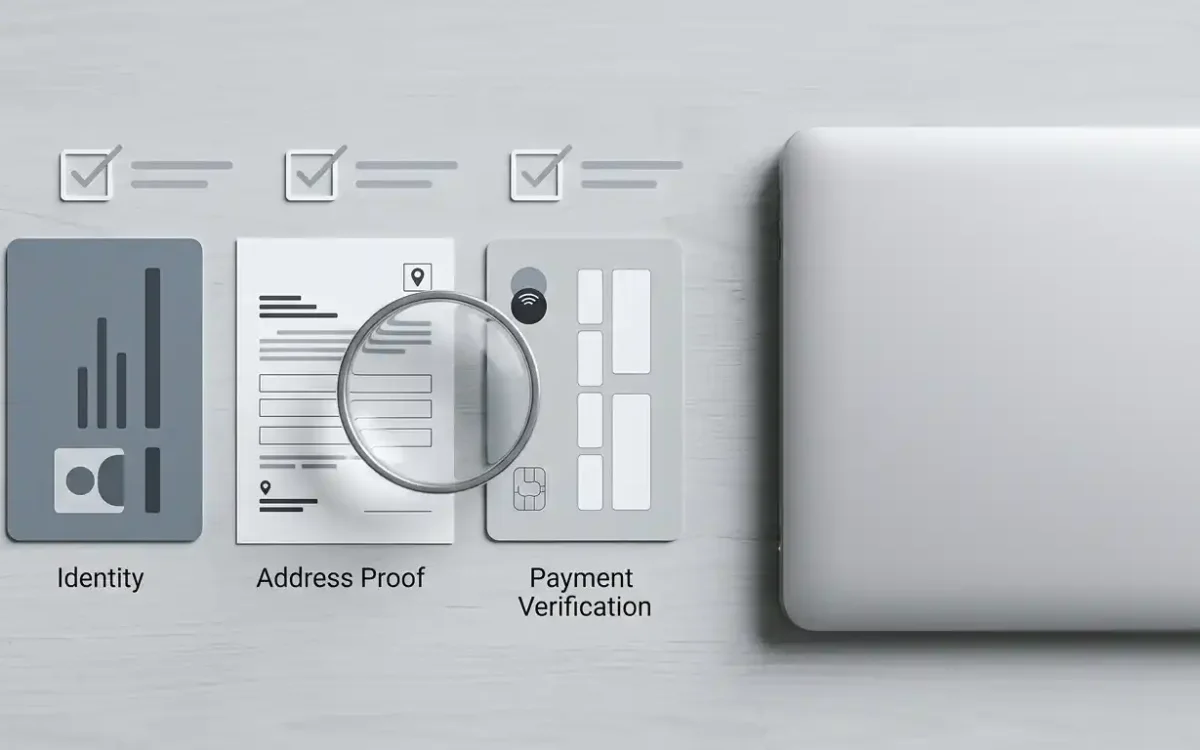
Document categories the terms describe
| Category | Typical examples | Common use |
|---|---|---|
| Identification document | A current passport, national identity card or full photocard driving licence. | Confirms identity and age, and must be in date and readable to all four corners. |
| Proof of address | A recent utility bill, bank statement or council-tax letter in the account holder’s name at the registered address. | Confirms residence. Operators generally expect a document issued within roughly three months. |
| Payment-system details | Card images with the sensitive digits masked, images of a verified e-wallet, or bank-statement headers. | Confirms who owns the payment method, so a withdrawal can be matched to the deposit route. |
| Video verification | A short video call or a recorded selfie check in some cases. | Used when document quality, an identity mismatch or risk signals call for more confirmation. |
Common triggers for a verification request
The terms do not publish a list of triggers, and no operator does, because a predictable checklist is easy to work around. What can be described is the pattern these requests follow across the industry, and it is consistent enough to plan around.
Requests tend to group into four situations. Account creation is the first, where standard identity and age checks can run before a deposit is even possible. The first withdrawal is the second and the most common, since that is where identity and payment ownership both need confirming at once. A change in account behaviour is the third: a deposit much larger than usual, a new payment method, or an address update can each prompt a fresh look. Bonus-linked activity is the fourth, where completed wagering or an unusual play pattern moves an account up the review queue.
Preparing documents before a withdrawal is urgent
Verify early, before anything depends on it. A withdrawal submitted before documents are approved does not join a payout queue at all; it becomes a document request, and document requests have no published window. Getting ahead of that costs one evening.
Three categories are worth having ready. A current photographic identification document with legible details. A proof-of-address document issued recently enough to clear the operator’s window. And ownership evidence for the payment method you deposited with. Where the route involves more than one instrument, such as a card alongside a wallet, prepare evidence for each rather than assuming one covers the other.
Upload through the secure channel in the account area rather than by email or chat. Keep file names short, descriptive and in plain English, avoid accented characters where the widget may mangle them, use an accepted format, and keep each file under any stated size limit. These sound trivial and they are the reason a good proportion of first submissions get rejected.
What to avoid at the deposit stage
- Depositing with a card or wallet that is not in the account holder’s own name.
- Using a shared instrument such as a joint card without checking whose name appears on the statement.
- Submitting a proof-of-address document older than the accepted window.
- Entering an abbreviated or informal version of the legal name at registration.
- Spreading one identity across several LuckyTwice accounts to reach extra promotions.
Every item here is an ordinary cause of held withdrawals at almost any operator. None is specific to this brand, and each one turns a straightforward payout into a slow one.
Document quality that passes on first submission
Rejections at LuckyTwice, like almost everywhere, are more often a picture problem than an identity problem. A reviewer needs to read four corners of the document, four sides of a card, the full machine-readable zone of a passport, and a photograph that is not obscured by glare, shadow or a partial thumb. Take the picture on a plain matt surface with soft daylight from the side rather than from behind, hold the camera parallel to the document rather than at an angle, and check the preview at full zoom before uploading. A single flash across the hologram of an identity card is enough to send the same document back a second time.
Colour matters as well. A black-and-white scan of a colour document can be treated as tampered even when nothing is wrong with the image, because it removes the security features a reviewer expects to see. Where the operator asks for a scan, use the colour setting. Where the operator asks for a photograph, avoid filters, cropping and any editing app that compresses the image aggressively, since heavy compression can flatten the fine detail on which automated checks depend.
When names on documents do not line up
Not everyone has a document set that all reads the same, and it is worth planning for the gap rather than being surprised by it. A marriage-name change may sit on a passport but not on an older driving licence. A middle initial may appear on a bank statement and not on the identity document, or the other way around. A parent’s shared surname may have been shortened informally over the years. None of these has to be a problem, but every one becomes one when the account form matches only some of the documents.
The reliable route is to register with the name that appears on the primary identity document, then submit any supporting evidence for the mismatch: a marriage certificate, a deed poll, a formal name-change record. Do it once at the start rather than case by case, and keep the same file version to hand for the payment-ownership check and the address proof.
What happens during a hold
The sequence during a hold is short and rarely dramatic. The review team asks for the outstanding document, the player uploads it in the account area, the document is assessed, and the withdrawal rejoins the normal processing queue. How long each step takes depends on review volume, document quality and whether a follow-up question arises. The official terms commit to no fixed verification timeline, so treat any figure quoted in live chat as an estimate rather than a promise.
The steady approach while waiting is to send only what was requested, keep everything on the same ticket, and use the upload channel rather than email. Sending the same documents through several channels feels proactive and does the opposite, since it fragments the audit trail the reviewer is working from.
Practical KYC checklist
- Check the identification document is in date and shows the full name and date of birth clearly.
- Check the proof of address is recent, in the account holder’s name, and shows the registered address.
- Check the deposit method is also accepted for withdrawals.
- Confirm the name on the payment instrument matches the registration form exactly.
- Upload through the secure account-area channel rather than support chat.
- Keep copies of every upload confirmation and document request for your own records.
If verification stalls
Stalls usually resolve faster with less activity, not more. Establish exactly which item is outstanding, send that one item through the secure channel, record the date and the reference number from the support reply, and let the stated review window pass before chasing. Repeated messages rarely speed a review and can push a ticket back down the queue.
One situation deserves a different response. If a request goes beyond what the terms describe, asking for sensitive information that seems disproportionate or for documents that would not normally apply at this stage, ask support in writing to identify the clause behind the request before sending anything. A legitimate request survives that question easily. The support page covers escalation routes.
Where to go next
Return to the account overview for the wider registration context, continue to the withdrawal guide for payout timing, read the trust page for identity-check caveats, and use the support page if verification stalls.